LinkedIn Headshots India
AI LinkedIn Headshots India: Prompts, Tips, and PhotoReady Guide
Create realistic AI LinkedIn headshots in India with prompt examples, outfit tips, background ideas, and a step-by-step PhotoReady workflow.
June 29, 2026 | 8 min read
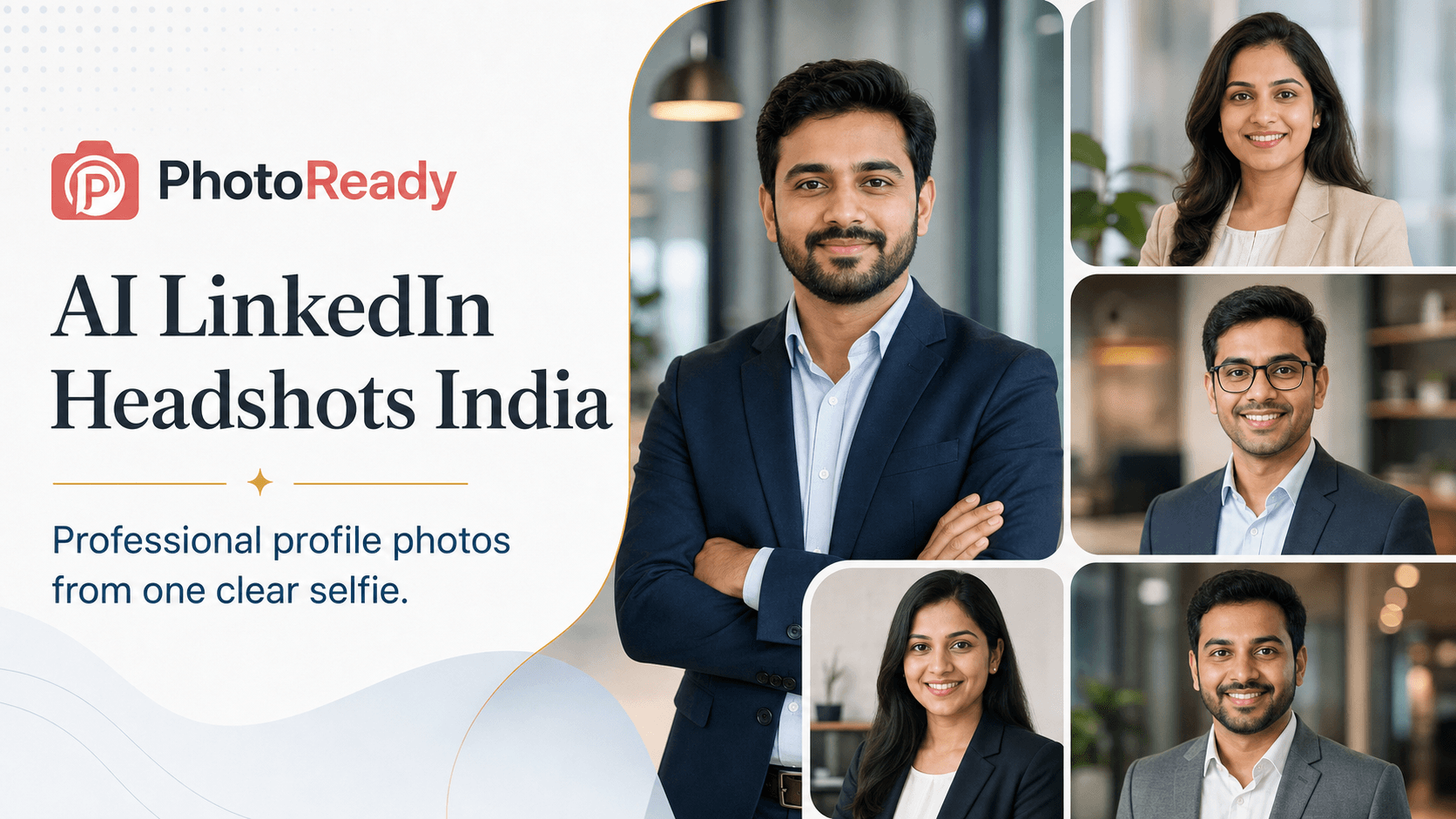
Your LinkedIn profile photo is often the first visual proof of credibility. For Indian students, founders, freelancers, job seekers, consultants, and corporate teams, an AI LinkedIn headshot can turn one clear selfie into a polished professional profile photo without booking a studio. The key is not to make the image look expensive; the key is to make it look believable, current, and suitable for the role you want people to associate with you.
What an AI LinkedIn headshot should achieve
A strong LinkedIn headshot has one job: make you look trustworthy before someone reads the headline, experience, or posts. It should be clear at small size, show your face without distraction, and match your professional context. A fresher applying for software roles can use a clean business-casual image, while a founder, coach, sales leader, or consultant may need a slightly more polished studio look. In India, the best results usually avoid extremes: not too cinematic, not too casual, and not so retouched that the photo stops feeling real.
- Keep the face sharp, front-facing, and naturally expressive.
- Use a clean background that does not compete with your face.
- Choose clothing based on your industry: blazer, shirt, kurta jacket, business casual, or clean smart casual.
- Ask for realistic skin texture and natural lighting so the photo feels like a real headshot.
The best prompt formula for LinkedIn headshots
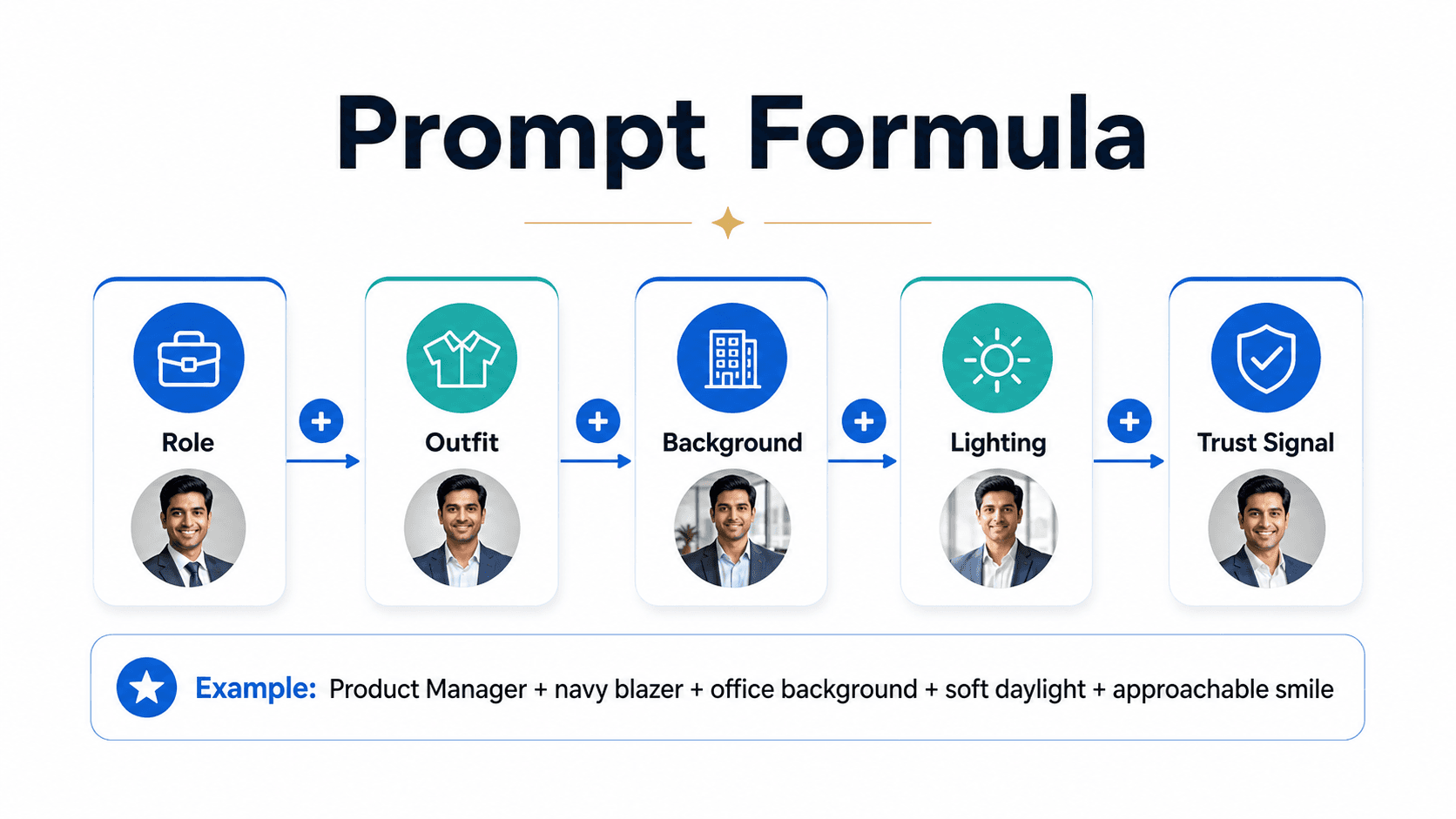
A good AI headshot prompt should be specific without becoming messy. The easiest formula is role plus outfit plus background plus lighting plus trust signal. The role tells the model whether the image should feel corporate, startup, academic, creative, or client-facing. The outfit sets the level of formality. The background and lighting decide whether the image feels like a studio portrait, office portrait, or approachable work photo. The trust signal is the expression and posture: confident, calm, approachable, reliable, or senior.
Prompt 1
Realistic AI LinkedIn headshot of an Indian product manager, navy blazer over white shirt, modern office background, soft daylight, approachable confident smile, sharp face, natural skin texture, professional profile photo.
Prompt 2
Professional LinkedIn profile photo of an Indian software engineer, clean business-casual shirt, neutral gray studio background, soft even lighting, calm expression, realistic head-and-shoulders portrait.
Prompt 3
AI headshot for Indian founder, charcoal blazer, minimal coworking office background, warm daylight, confident but friendly expression, realistic skin texture, premium LinkedIn profile photo.
Prompt 4
Corporate LinkedIn headshot for Indian finance professional, formal suit, clean dark blue background, studio lighting, composed expression, high-resolution realistic portrait.
Four LinkedIn headshot styles that work in India
Different careers need different headshot styles. A startup founder may benefit from a brighter office portrait. A finance or consulting profile may need a more formal studio image. A designer, creator, or freelancer can look professional with a softer lifestyle background, as long as the image still feels focused. For job seekers, the safest option is a clean head-and-shoulders portrait with simple clothing and a neutral background. If you are not sure, choose the style that would look natural on your resume, LinkedIn profile, and company bio at the same time.
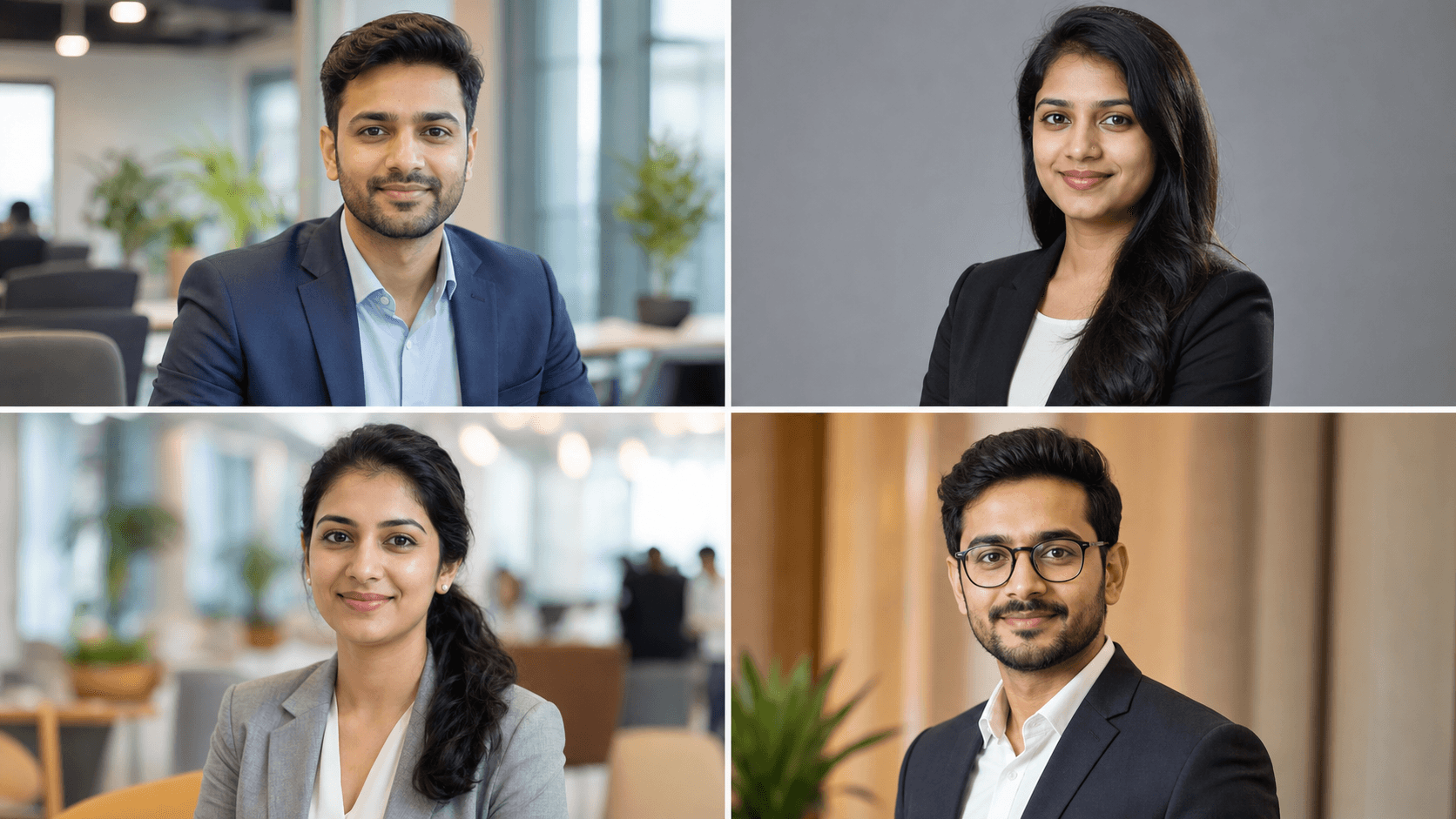
- Corporate style: blazer or formal shirt, neutral background, controlled studio lighting.
- Startup style: business casual clothing, modern office or coworking background, friendly expression.
- Creative style: clean lifestyle background, relaxed posture, polished but less formal clothing.
- Job seeker style: simple outfit, bright face, neutral background, clear eye contact.
How to prepare your input photo
The prompt matters, but the input photo matters more when you want your AI headshot to look like you. Use a recent photo where your face is visible, sharp, and not hidden by sunglasses, heavy filters, masks, or extreme shadows. Avoid screenshots from videos because they often contain motion blur and compression. Stand near a window or in soft daylight, keep the camera at eye level, and use a natural expression. A simple phone photo can work well if the face is clear and the model has enough identity detail to preserve.
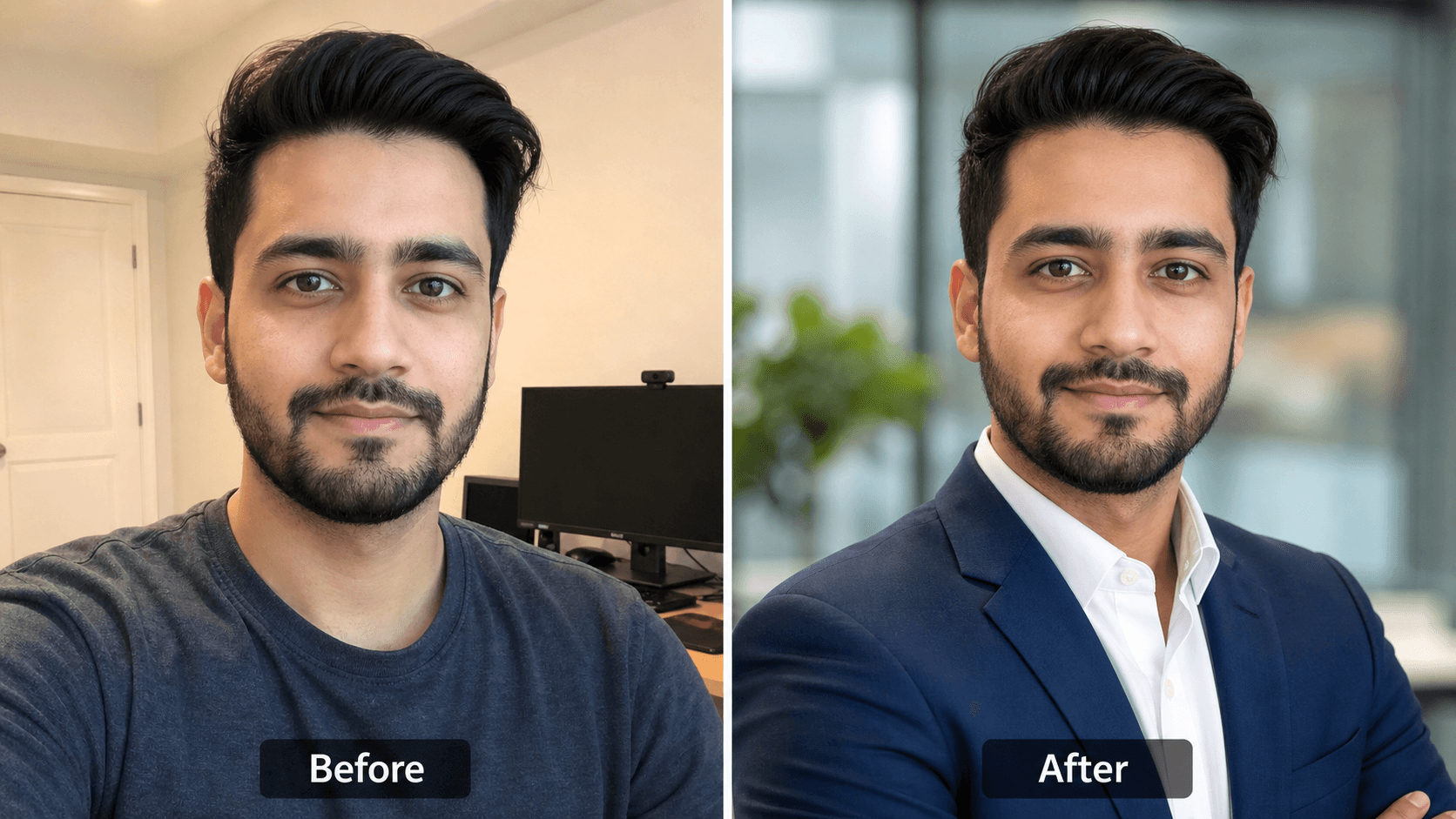
- Use a front-facing or slightly angled photo, not a side profile.
- Choose a photo with both eyes visible and no heavy beauty filter.
- Avoid group photos, cropped wedding photos, mirror selfies, and blurry screenshots.
- Keep your expression close to the final result you want: friendly, calm, confident, or senior.
Best outfits and backgrounds for Indian professionals
For Indian LinkedIn headshots, outfit choice should support your target audience. A blazer works for consulting, finance, leadership, sales, and founder profiles. A crisp shirt works for software, operations, analytics, marketing, and student profiles. A smart kurta jacket or clean ethnic-formal look can work for educators, creators, public-facing professionals, and Indian business contexts if it still looks polished. Backgrounds should stay quiet: gray, off-white, soft office, library, coworking space, or subtle corporate lobby. Avoid party backdrops, fake luxury interiors, and dramatic studio colors unless your personal brand specifically needs them.
Prompt 1
Indian professional LinkedIn headshot, crisp light blue shirt, neutral off-white background, soft window light, confident approachable smile, realistic profile photo.
Prompt 2
Indian woman professional headshot for LinkedIn, beige blazer, clean office background, soft daylight, natural makeup, realistic skin texture, trustworthy expression.
Prompt 3
Indian entrepreneur LinkedIn headshot, black blazer, modern coworking background, subtle depth of field, premium professional lighting, confident expression.
Prompt 4
Indian student LinkedIn profile photo, clean formal shirt, simple gray background, bright natural light, friendly expression, realistic professional portrait.
Common mistakes that make AI headshots look fake
The most common AI headshot mistake is over-styling. A LinkedIn photo does not need dramatic cinematic lighting, perfect plastic skin, luxury hotel interiors, or fashion-model posing. It needs clarity and credibility. Watch for mismatched ears, strange teeth, over-sharpened eyes, warped collars, unreadable background text, and clothes that look too artificial. If the photo looks impressive for two seconds but strange after ten seconds, it is not the right LinkedIn photo.
- Do not ask for celebrity, luxury, cinematic, ultra-glamour, or magazine-cover styling for a normal LinkedIn profile.
- Avoid busy backgrounds with fake screens, unreadable logos, or random office text.
- Do not change age, facial structure, or skin tone beyond natural lighting improvements.
- Regenerate if the result has warped collars, extra buttons, odd hairlines, or unrealistic teeth.
Where to use your AI LinkedIn headshot
Once you have a clean headshot, use it consistently across the places where people verify your professional identity. LinkedIn should be the first priority, but the same image can also support your resume, portfolio, founder page, speaker bio, consulting proposal, email signature, company team page, GitHub profile, AngelList or Wellfound profile, and job portal accounts. Consistency helps recruiters, clients, and collaborators recognize you faster. If you use different images everywhere, the profile can feel less trustworthy, especially when someone is comparing your LinkedIn, resume, and company bio before contacting you.
- Use a square crop for LinkedIn so the face stays visible inside the circular profile frame.
- Keep a high-resolution version for resumes, media kits, speaker pages, and website bios.
- Use the same headshot across job portals and client-facing profiles for stronger recognition.
- Refresh the image when your appearance, role, or positioning changes significantly.
Quick SEO checklist for profile-photo creators
If you are a creator, agency, career coach, or small studio offering AI LinkedIn headshots in India, package the service around outcomes people already search for. Users do not only search for AI headshots; they search for LinkedIn photo, resume photo, professional profile picture, corporate headshot, founder photo, and office headshot. Your page should show realistic examples, explain input-photo quality, answer trust questions, and link clearly to the headshot creation flow. Avoid promising impossible perfection. The stronger promise is simple: a believable, professional profile photo from one clear source image.
- Use search terms like AI LinkedIn headshots India, professional profile photo India, LinkedIn photo AI, and corporate headshot India naturally in headings and copy.
- Add descriptive image alt text for every example image, especially before-after and style examples.
- Include FAQ answers for upload quality, realism, turnaround, use cases, and whether the image can be used on resumes.
- Link from related blog posts, comparison pages, and prompt pages back to the LinkedIn headshot generator.
Use PhotoReady for AI LinkedIn headshots
PhotoReady is built to help Indian users create professional AI images that fit real use cases, not just generic portraits. For LinkedIn, start with one clear photo, choose a headshot style that matches your career goal, and keep the final image believable. You can use the prompt examples above as a guide, then create a profile photo that works for LinkedIn, resumes, founder bios, speaker pages, portfolio pages, and company team pages.
Frequently asked questions
Can I create AI LinkedIn headshots in India?
Yes. Indian professionals can create AI LinkedIn headshots by uploading a clear photo and choosing prompts or styles that match their role, outfit, background, and desired professional impression.
What is the best prompt for an AI LinkedIn headshot?
A strong prompt includes your role, outfit, background, lighting, and trust signal. For example: realistic AI LinkedIn headshot of an Indian product manager, navy blazer, modern office background, soft daylight, approachable confident smile.
What photo should I upload for an AI headshot?
Upload a recent, sharp, front-facing photo with good lighting and a natural expression. Avoid sunglasses, blur, heavy filters, group photos, mirror selfies, and screenshots from videos.
Are AI LinkedIn headshots good for resumes and company bios?
Yes, when they look realistic and professional. The same clean headshot can work for LinkedIn, resumes, founder bios, speaker pages, portfolios, and company team pages if it preserves your likeness.