
AI LinkedIn profile photo tool
LinkedIn Headshot Generator
Generate professional AI LinkedIn headshots from selfies. Compare real profile photo styles, choose a career-ready look, and create a polished headshot that works for recruiters, clients, founders, and teams.
24+
LinkedIn styles
1:1
Profile crop
AI
Prompt-backed flow
Profile-ready output
Built for realistic face preservation, clean backgrounds, and LinkedIn-sized profile previews.
Pick a style
Generate from LinkedIn headshot examples
Start from one of these prompt-backed styles. Each card links to its own generation page so the user can move from example to action immediately.


How it works
From selfie to LinkedIn-ready headshot
The page now gives users the answer immediately: yes, this tool generates a LinkedIn headshot, here is what it looks like, and here is the next click.
Read the LinkedIn headshot prompt guideUpload a clear selfie
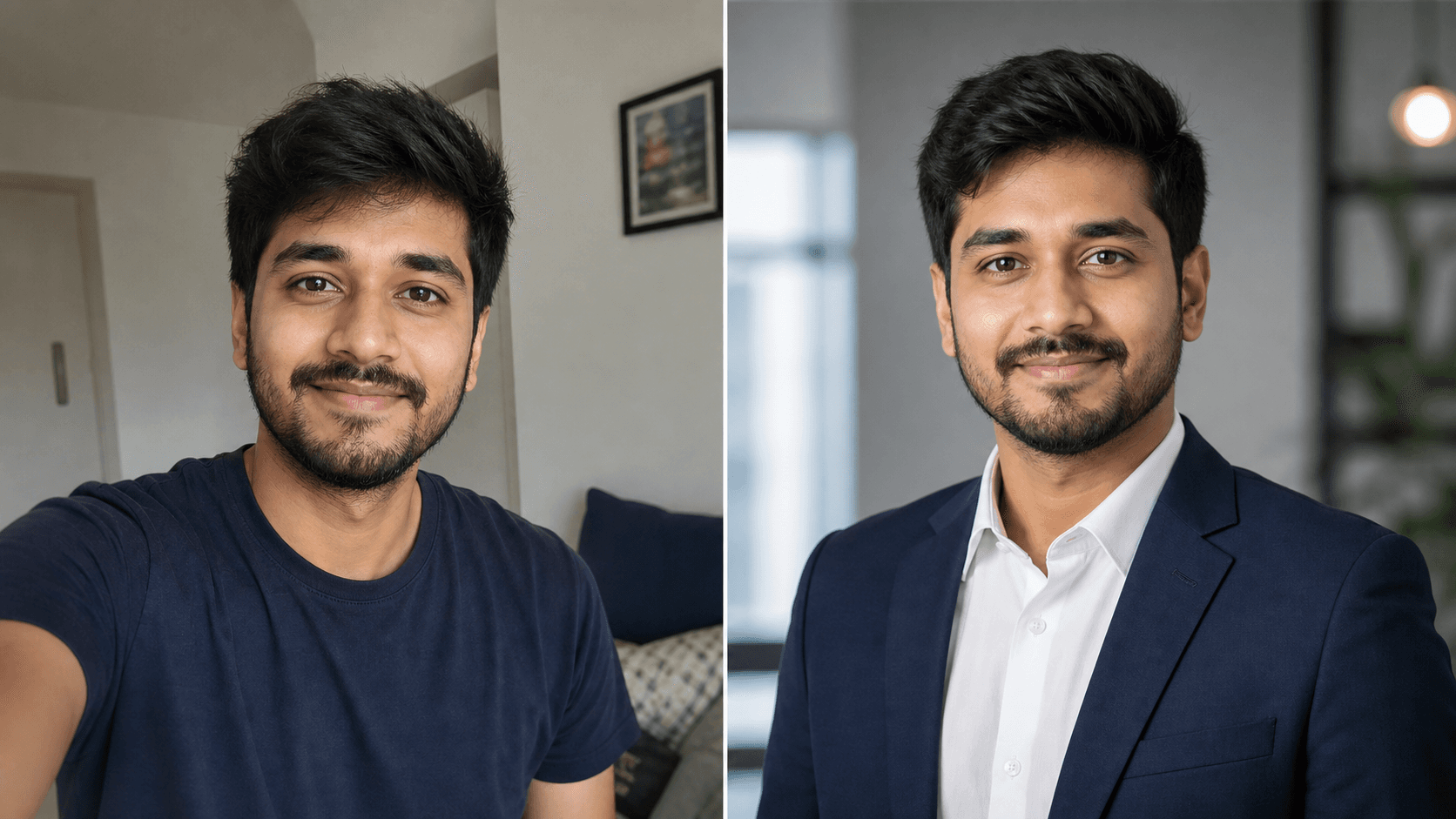
Use a recent face photo with visible eyes, hairline, and natural lighting.
Pick a LinkedIn style
Choose a corporate, executive, founder, student, or business casual profile look.
Generate options
Create realistic headshot variations with professional lighting, outfit, crop, and background.
Use the best result
Check the small circular LinkedIn preview and download the image that feels most credible.
Quality check
What a good AI LinkedIn headshot must get right
The generator page should not bury the answer. Users need to know in seconds whether the output looks realistic, professional, and usable on LinkedIn.
- Identity stays recognizable, not over-edited.
- Face is sharp in LinkedIn's small circular crop.
- Outfit matches the role you want to attract.
- Background supports trust without stealing attention.
- Lighting looks realistic, clean, and professional.
- Final image feels current enough for recruiters and clients.
Choose your direction
LinkedIn profile photo styles by task
Guide
How to use the generator well
Generate a LinkedIn headshot from your selfies
A LinkedIn headshot generator is useful when you need a polished profile photo without booking a studio session. PhotoReady turns your uploaded image into professional headshot styles with cleaner lighting, stronger framing, and career-appropriate clothing cues.
- Upload a clear selfie
- Choose a LinkedIn style
- Generate multiple professional options
- Download the strongest result
When this page is the right starting point
Use this page when your intent is to create a headshot now. If you are still comparing styles, start with examples. If you are learning what makes a good photo, read the tips guide first.
Best source photos for the generator
The generator performs best when the uploaded photo already gives the AI enough face information. Choose a recent image with your face sharp, eyes visible, hairline visible, and no heavy filters. A simple phone photo can work well if it is clear and front-facing.
- Use a recent selfie or portrait
- Keep your face unobstructed
- Avoid sunglasses and heavy beauty filters
- Use one person in the image
- Prefer soft front light
Generator workflow vs prompt-only workflow
A prompt-only workflow is useful if you already know how to use image models and want to copy text into another tool. A generator workflow is better when you want the style, upload, payment, and output process packaged together. PhotoReady should use this page for users who are ready to generate, while the prompts page should serve users who want text instructions.
Which LinkedIn style should you generate first?
Start with the style that matches the job you want the photo to do. Corporate styles work for legal, finance, consulting, and leadership. Business casual works for tech, marketing, product, recruiting, and students. Founder and executive styles work when the photo also needs to support public bios, pitch decks, speaking pages, or investor trust.
- Corporate: formal trust
- Business casual: approachable professionalism
- Executive: leadership signal
- Student: career-ready but not overly senior
- Founder: credible and modern personal brand
FAQ
LinkedIn headshot generator questions
How does the LinkedIn headshot generator work?
Upload a clear photo, choose a professional style, and PhotoReady generates LinkedIn-ready headshot options using AI.
Do I need a professional camera?
No. A clear phone selfie can work if your face is visible, sharp, and not covered by harsh filters or shadows.
Can I generate multiple LinkedIn styles?
Yes. Comparing corporate, executive, office, and business casual options helps you choose the best fit for your goals.
What should I upload for the best AI headshot?
Upload a current photo where your face is sharp, your eyes are visible, and you are the only person in the frame.
Is this different from copying a prompt?
Yes. A generator packages the upload and output workflow, while a prompt-only page is mainly for users who want text to use in another AI tool.
Which style should I choose first?
Choose corporate for formal industries, business casual for modern workplaces, executive for leadership, and student styles for internships or entry-level roles.
Create a LinkedIn-ready headshot
Start with the style gallery, choose the look that matches your career goal, and generate a professional profile photo from your selfie.