LinkedIn Headshot Prompt
LinkedIn Headshot Prompt: ChatGPT, Gemini AI Guide 2026
Copy the best LinkedIn headshot prompt for ChatGPT, Gemini, Nano Banana, women, Indian professionals, and AI LinkedIn profile pictures.
July 4, 2026 | 14 min read
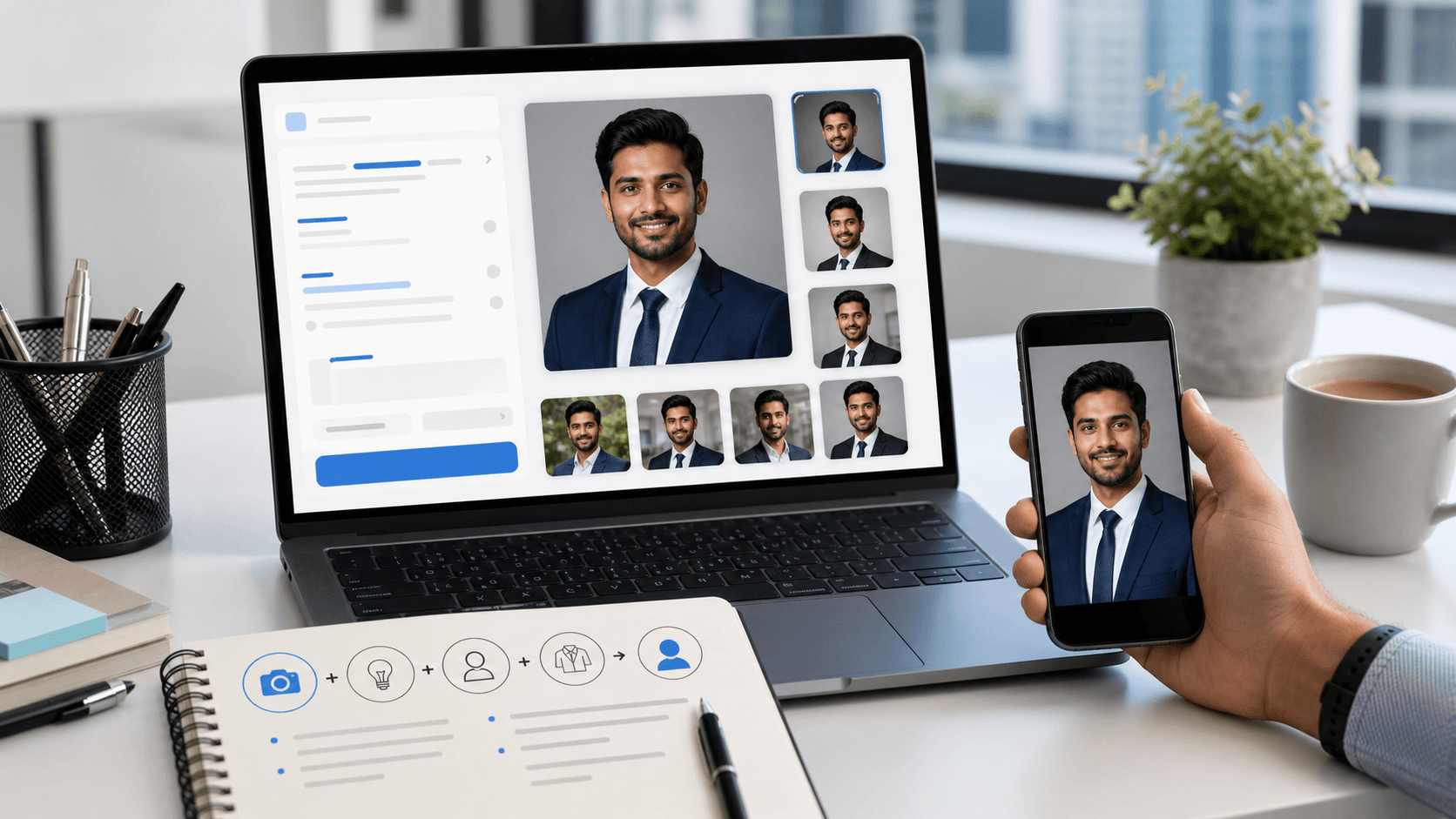
A LinkedIn headshot prompt is the instruction you give an AI image tool to turn a real selfie into a professional profile photo. The goal is not to create a new face. The goal is a better lit, better framed, recruiter-ready version of you. This 2026 guide gives copy-paste prompts for ChatGPT, Gemini, Nano Banana-style image models, women, Indian professionals, and anyone who wants a clean LinkedIn profile picture without booking a studio.
Quick answer: best LinkedIn headshot prompt
Use this prompt after uploading 2 to 4 clear reference photos of yourself. It works as a professional LinkedIn headshot prompt for ChatGPT, Gemini, and most AI photo tools that support reference images. Keep the identity-lock sentence exactly because it tells the model not to invent a different face.
Prompt 1
Using the attached photos as exact reference, create a professional LinkedIn headshot that preserves my real facial features, skin tone, hairline, facial hair if present, and natural expression. Do not change my face shape, age, body type, or identity. Dress me in business formal or business casual attire suitable for LinkedIn. Use a clean neutral studio or modern office background with soft blur. Lighting should be soft, even, and flattering with natural skin texture, sharp eyes, and no harsh shadows. Expression: confident, approachable, slight natural smile, direct eye contact. Frame as a shoulders-up professional headshot, centered for a 1:1 LinkedIn profile picture crop.
Copy the prompt or generate the headshot
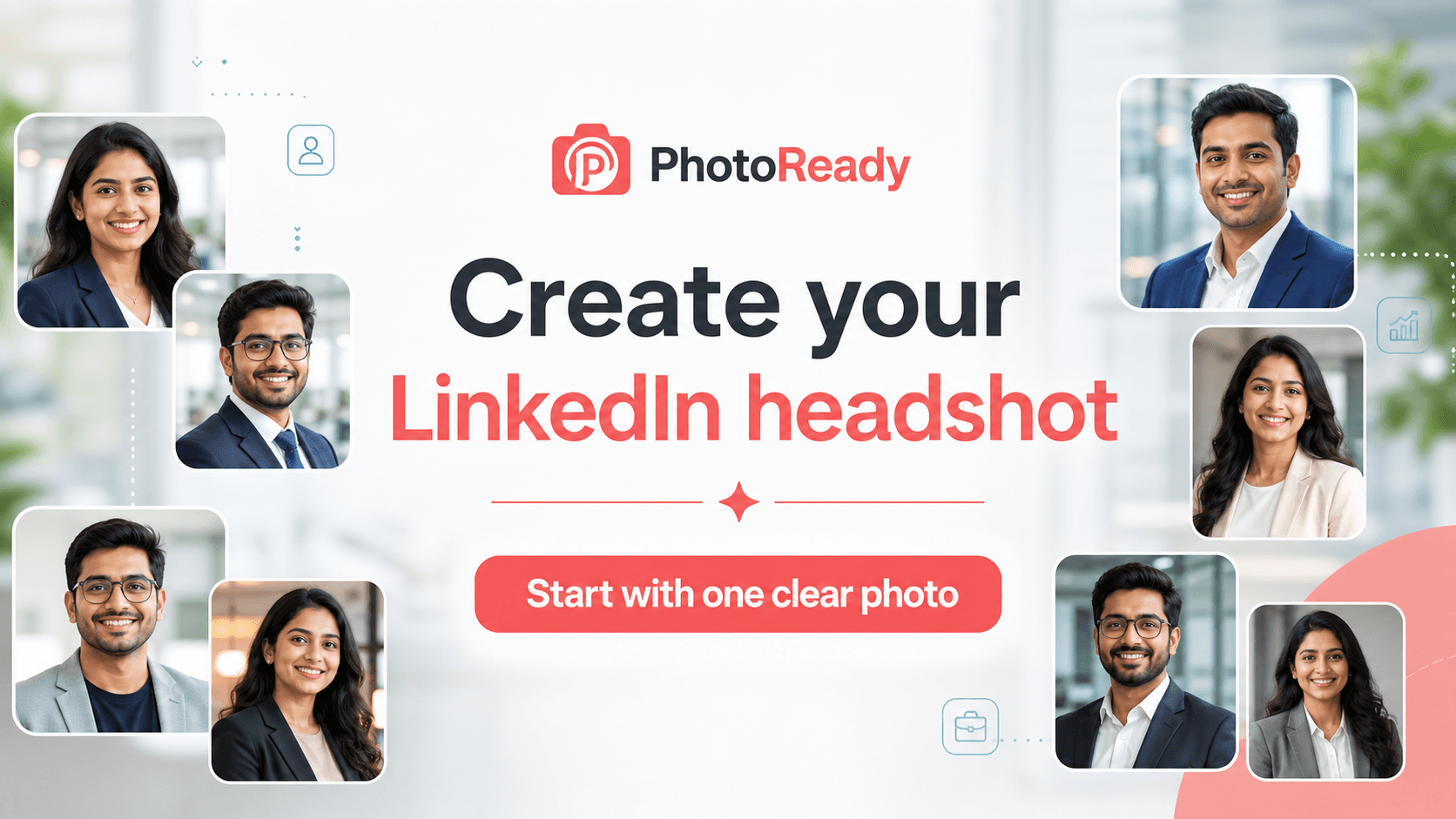
If you only need text for ChatGPT, Gemini, or another AI image tool, copy the prompt above. If you want the finished result faster, use PhotoReady's LinkedIn headshot generator: choose a style, upload a clear selfie, compare realistic profile photo examples, and generate a LinkedIn-ready headshot without rebuilding the prompt by hand.
- Use the article when you want prompt wording for another AI tool.
- Use the generator when you want to create a polished LinkedIn profile photo now.
- Use the examples page when you are still choosing between corporate, executive, student, founder, and business casual styles.
Why this LinkedIn headshot prompt works
The best LinkedIn headshot prompt is not a long paragraph of random style words. It has six parts: identity lock, attire, background, lighting, expression, and crop. If one part is missing, the AI may create a nice photo that fails LinkedIn's real-world job: helping recruiters, clients, founders, and hiring managers recognize and trust you.
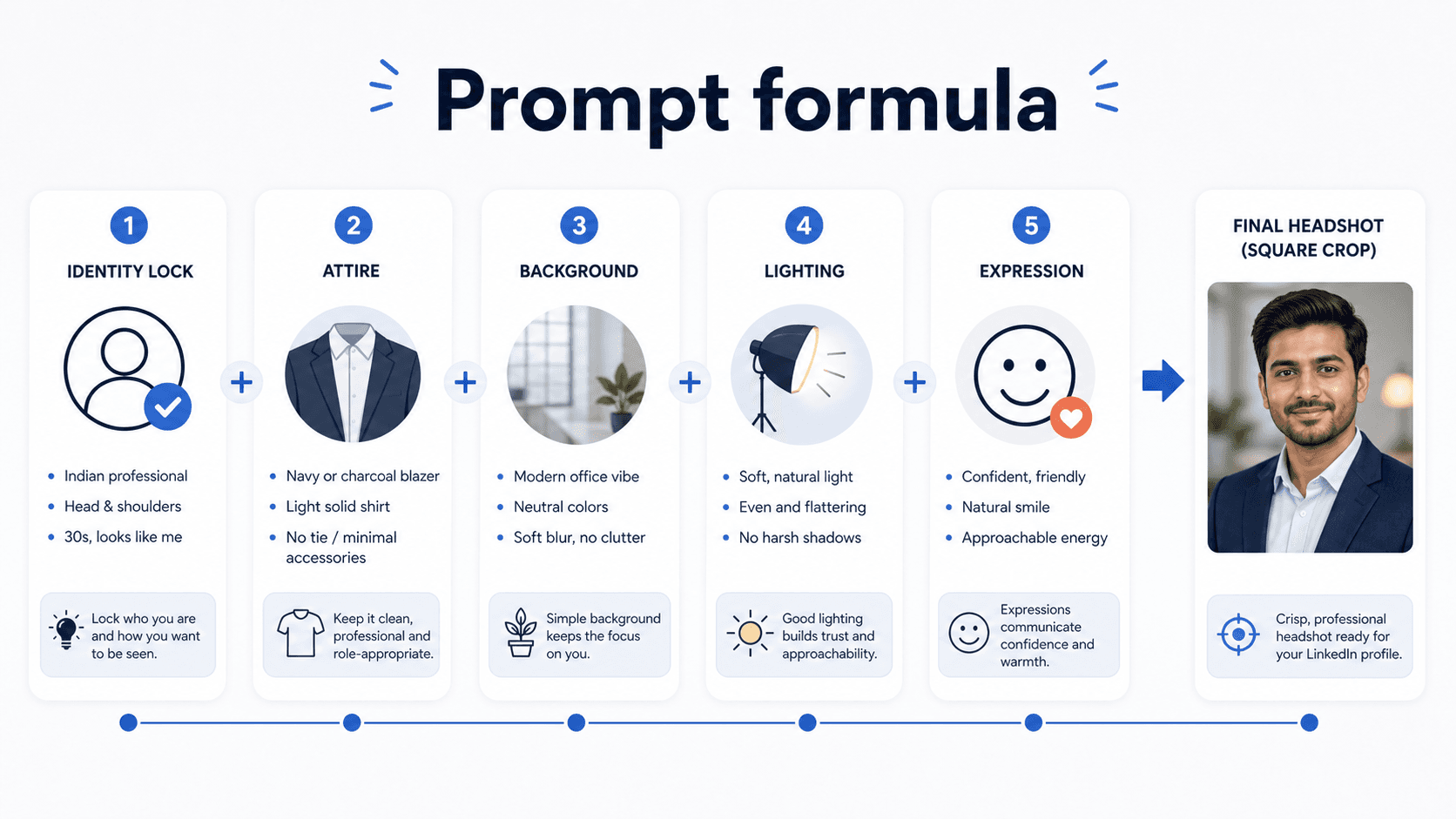
- Identity lock keeps your real face, skin tone, hair, age, and facial structure intact.
- Attire tells the model whether you need corporate, startup, business casual, founder, consultant, or Indian formal styling.
- Background removes visual noise and makes the image feel professional at small LinkedIn sizes.
- Lighting controls realism, skin texture, shadows, and eye clarity.
- Expression decides whether the result feels approachable, senior, warm, confident, or too stiff.
- Crop keeps the face centered for LinkedIn's circular profile picture display.
LinkedIn headshot prompt generator formula
If you want a LinkedIn headshot prompt generator, use this fill-in formula. It works for ChatGPT, Gemini, Nano Banana, GPT image tools, and most AI professional photo editors. Replace the blanks, upload your reference photos, and run one variation at a time.
- For fresher or student profiles, choose business casual instead of overly senior suit styling.
- For founders and consultants, choose a cleaner editorial office background.
- For corporate roles, use navy, charcoal, white, beige, or muted maroon.
- For Indian professionals, mention exact skin tone preservation and realistic skin texture.
Prompt 1
Using the attached photo as reference, preserve my exact face, skin tone, hair, and identity. Attire: [navy blazer and white shirt / charcoal blazer and blouse / Indian formal kurta jacket / business casual shirt]. Background: [neutral grey studio / modern office / soft navy backdrop / clean coworking space]. Lighting: [soft even studio light / natural window light / gentle clamshell lighting]. Expression: [confident slight smile / calm senior expression / warm approachable smile]. Framing: shoulders-up, eye-level, sharp focus on eyes, natural skin texture, 1:1 square crop for LinkedIn.
Prompt for LinkedIn profile picture ChatGPT
For ChatGPT, the safest workflow is to upload a few clear photos first, then ask for a LinkedIn profile picture headshot prompt result that keeps your real face. Do not ask ChatGPT to make you look more attractive, younger, fairer, slimmer, or more premium. Those words often push the image away from reality.
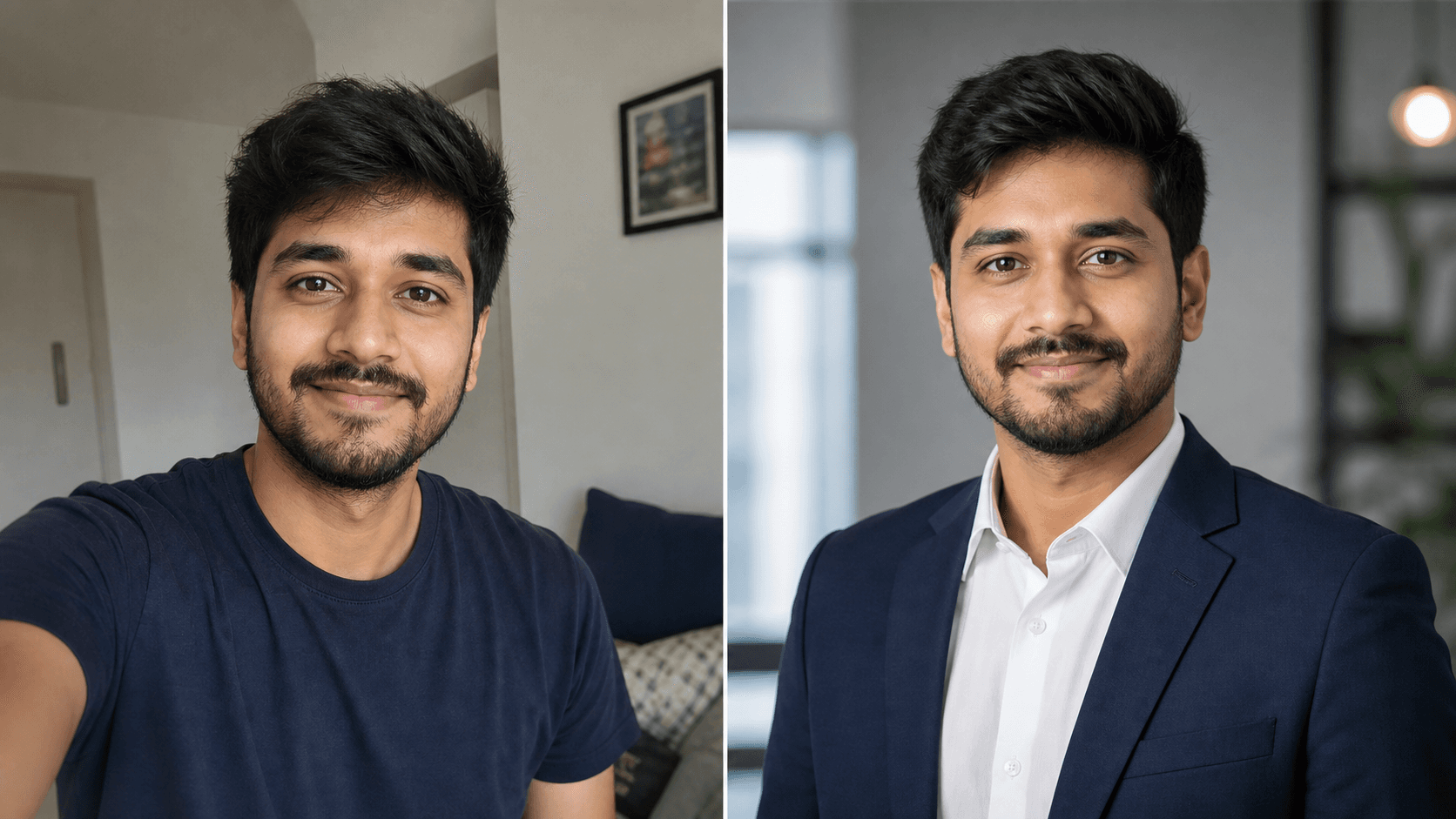
Prompt 1
ChatGPT, use my uploaded image only as the identity reference. Create a professional LinkedIn profile picture that keeps my exact face, skin tone, hair, and natural expression. Improve only the lighting, background, clothing polish, and crop. Use a clean office or neutral studio background, business-casual attire, realistic skin texture, clear eyes, direct eye contact, and a confident approachable smile. Output should be a square headshot suitable for LinkedIn.
Prompt 2
ChatGPT prompt for professional photo editing: edit this photo into a realistic professional LinkedIn headshot. Preserve my identity exactly. Remove background clutter, improve lighting, clean up the crop, make attire look business appropriate, keep natural skin texture, and avoid face reshaping, skin lightening, plastic smoothing, or glamour retouching.
LinkedIn headshot prompt for Gemini
A LinkedIn headshot prompt for Gemini should repeat the reference-photo instruction clearly. If you use Gemini AI, Google Gemini, or a Nano Banana-style image model, re-upload the reference image when needed and keep the prompt specific. Ask for variations only after the identity is accurate.
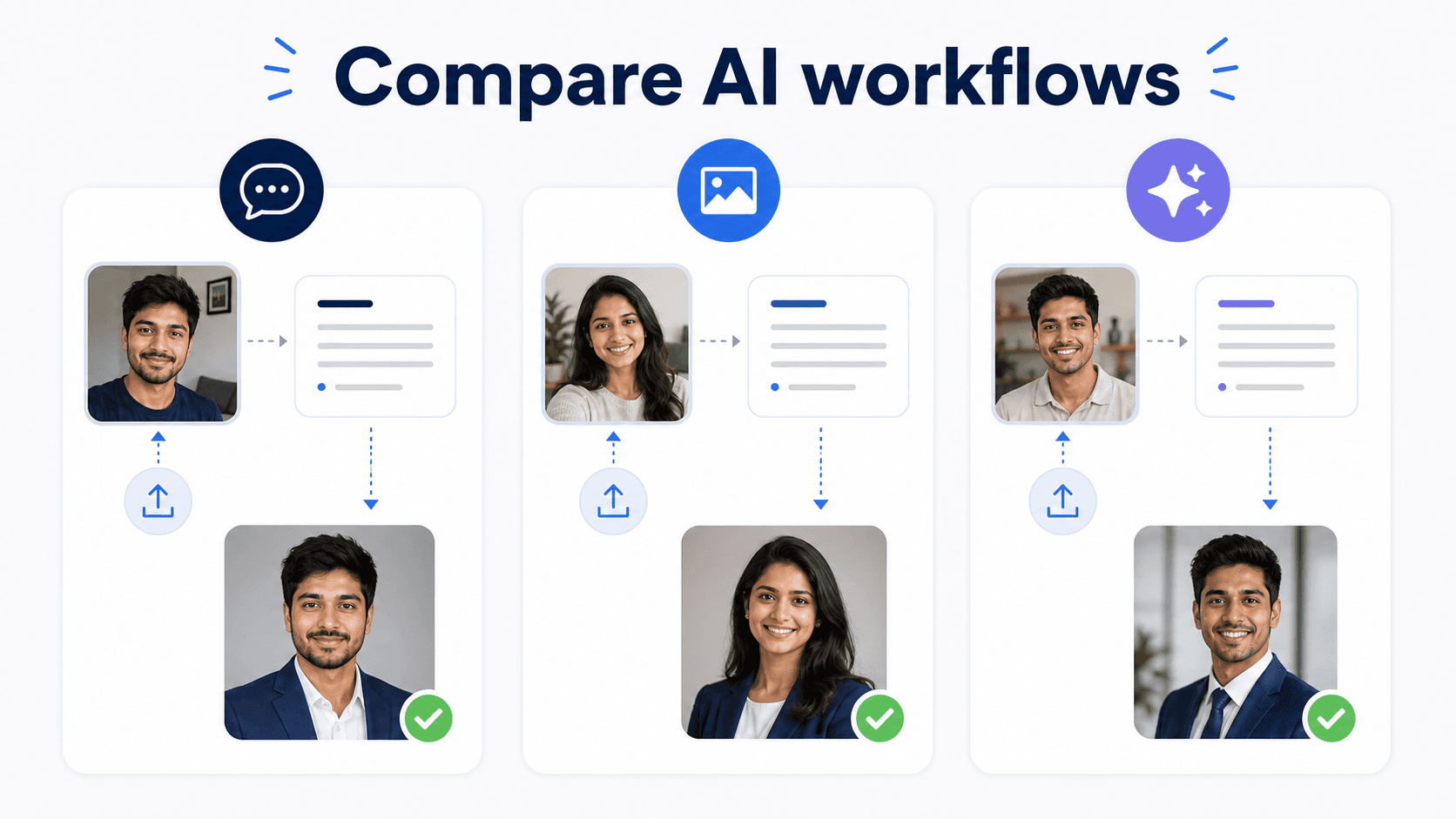
Prompt 1
Gemini AI LinkedIn headshot prompt: using the uploaded reference photo, create a professional LinkedIn headshot of this exact person. Preserve identity, facial structure, skin tone, hair, age, and natural features. Use a neutral office or studio background, soft even lighting, business formal attire, sharp eyes, realistic skin texture, slight confident smile, shoulders-up crop, 1:1 aspect ratio.
Prompt 2
Professional LinkedIn headshot prompt for Gemini: generate 3 realistic variations using the same face from the reference photo. Variation 1: neutral grey studio background. Variation 2: blurred modern office background. Variation 3: warm beige professional background. Keep face, skin tone, hair, and expression natural in every version.
Prompt 3
Nano Banana LinkedIn headshot prompt: use the uploaded photo as the exact identity source. Create a crisp professional LinkedIn headshot with business attire, soft studio lighting, neutral background, direct eye contact, natural skin texture, and a centered square crop. Do not alter facial features or skin tone.
Prompt for professional photo female
A prompt for professional photo female should avoid over-glamour, heavy makeup, unrealistic smoothing, and stock-photo styling. For women, especially Indian professionals, the best results come from precise clothing and texture instructions: blazer, blouse, saree, kurta, simple jewellery, natural makeup, exact skin tone, and real hair texture.
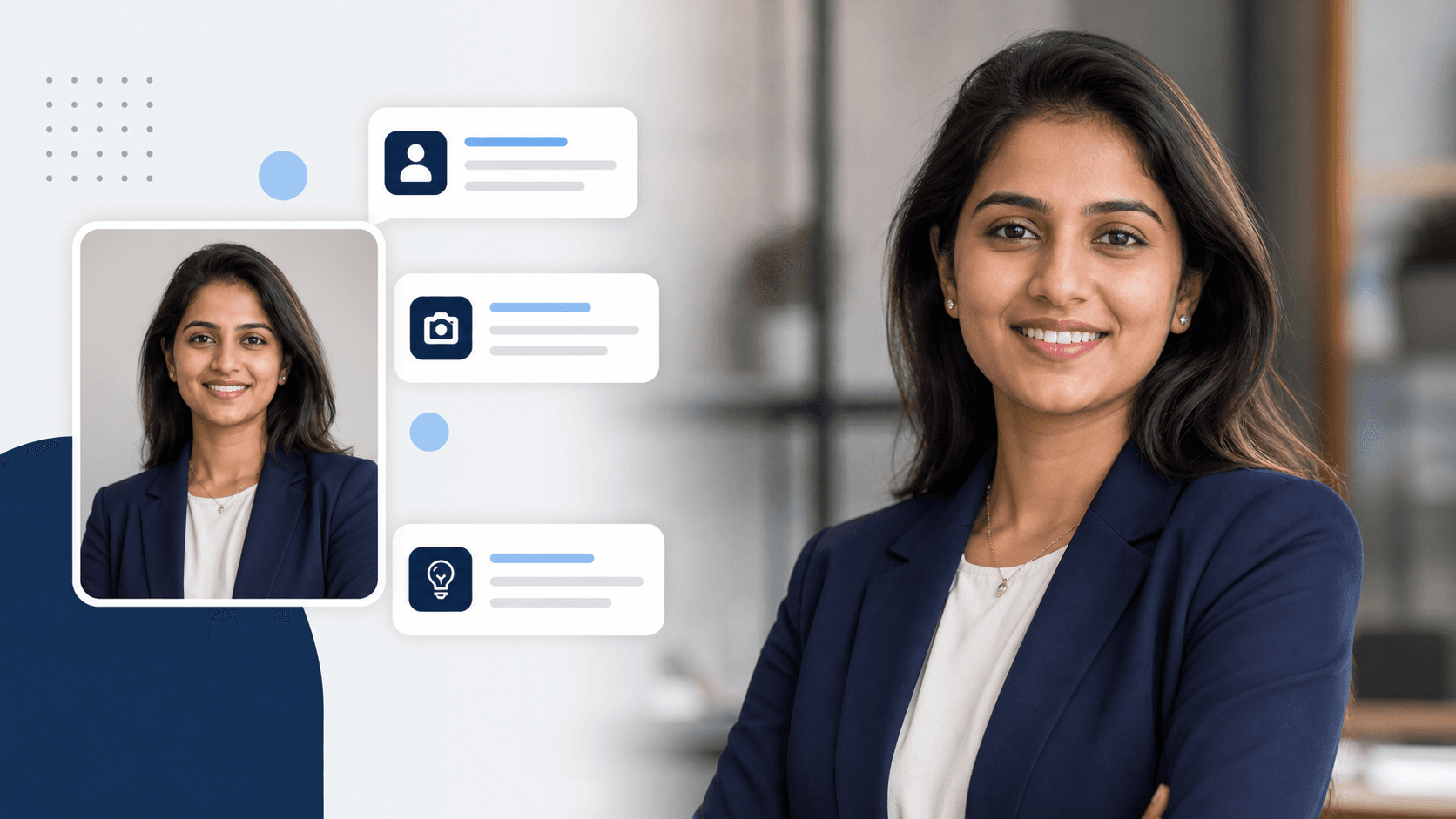
Prompt 1
Using the attached photo as reference, create a professional LinkedIn headshot for a woman while preserving my exact facial features, skin tone, hair texture, and natural expression. Attire: tailored navy or charcoal blazer over a simple blouse, minimal jewellery, natural professional makeup. Background: soft neutral studio or modern office. Lighting: soft even light, realistic skin texture, no over-smoothing. Expression: warm, confident, slight smile, direct eye contact. Chest-up framing, centered 1:1 LinkedIn profile picture crop.
Prompt 2
Indian professional female LinkedIn headshot prompt: preserve my exact face and skin tone from the reference image. Dress me in [solid color saree / formal kurta with blazer / navy blazer and blouse]. Keep styling simple, workplace-appropriate, and authentic. Use a clean neutral background, soft lighting, natural skin texture, and a confident approachable expression.
Prompt for professional photo male
A male professional LinkedIn headshot prompt should control facial hair, shirt fit, and expression. Many AI tools make men look too corporate, too cinematic, or slightly older than the reference. Add simple instructions for realistic age, natural beard, and modern business attire.
Prompt 1
Using the attached photo as reference, create a professional LinkedIn headshot for a man while preserving my exact face, skin tone, age, hair, and facial hair style. Attire: well-fitted navy or charcoal blazer with a white or light blue shirt, no tie unless requested. Background: clean neutral studio or blurred modern office. Lighting: soft even studio light, sharp eyes, natural skin texture. Expression: calm, confident, slight natural smile. Shoulders-up crop, 1:1 square format for LinkedIn.
Prompt 2
Founder-style LinkedIn professional headshot prompt: preserve my exact identity from the reference photo. Use smart business-casual attire, modern coworking background, soft natural window light, confident but friendly expression, realistic skin texture, and a clean square crop suitable for LinkedIn.
Best LinkedIn headshot prompt for Indian professionals
Indian professionals should add three extra details: exact skin tone preservation, role-appropriate attire, and realistic workplace context. A software engineer, MBA fresher, consultant, CA, doctor, founder, designer, and sales leader should not all use the same headshot style.
- For software and startup roles, use clean business casual, modern office, and approachable expression.
- For consulting, finance, law, and corporate roles, use blazer, neutral background, and polished lighting.
- For doctors, educators, and public-facing experts, use trustworthy lighting and calm expression.
- For women in Indian formal wear, name the outfit directly: cotton saree, silk saree, formal kurta, blazer, blouse, or simple jewellery.
- For founders and creators, use a slightly editorial but still realistic office portrait.
LinkedIn headshot prompt Reddit advice: what to keep
LinkedIn headshot prompt Reddit discussions are useful because users quickly point out when an AI headshot looks fake. The repeated advice is simple: preserve identity, avoid plastic skin, avoid fantasy lighting, do not over-edit teeth or eyes, and compare the output against your real face before uploading it to LinkedIn.
- Keep: use multiple clear reference photos instead of one blurry selfie.
- Keep: ask for natural skin texture and exact skin tone.
- Keep: avoid dramatic cinematic backgrounds for a profile picture.
- Keep: regenerate if the face looks even slightly unfamiliar.
- Ignore: extreme prompt hacks that make every professional photo look like the same stock portrait.
Common AI LinkedIn headshot prompt mistakes
The most common mistake is asking for a perfect photo instead of an accurate professional photo. LinkedIn is a trust platform. If your AI professional photo looks too different from you, the image may win attention but lose credibility in interviews, sales calls, and client meetings.
- Do not use prompt-only generation for your real LinkedIn profile photo.
- Do not skip the words preserve my exact face, skin tone, and identity.
- Do not ask for fairer skin, sharper jaw, younger face, or a new hairstyle unless it is already true to you.
- Do not use busy backgrounds, fake offices, dramatic bokeh, or luxury hotel lobbies.
- Do not upload an AI photo before checking the circular LinkedIn crop.
- Do not use unknown face-swap tools when privacy matters.
Use PhotoReady instead of writing prompts manually
Prompt writing helps, but most users do not want to keep testing ChatGPT, Gemini, Nano Banana, and every new AI photo model by hand. PhotoReady's LinkedIn headshot flow is built around the same winning prompt logic: preserve identity, choose professional styling, generate realistic headshots, and make the final image ready for LinkedIn.
- Use it when you want the result, not a long prompt experiment.
- Best for Indian professionals who need realistic skin tone, attire, and workplace context.
- Useful for students, job seekers, founders, consultants, freelancers, and teams.
- Works as a practical LinkedIn headshot prompt generator alternative.
Quick-copy LinkedIn AI headshot prompt
Save this version if you only want one professional LinkedIn headshot prompt to reuse. It covers ChatGPT LinkedIn headshot prompt, Gemini AI LinkedIn headshot prompt, GPT LinkedIn headshot prompt, and most AI professional photo tools.
Prompt 1
Using the attached photos as exact reference, create a realistic professional LinkedIn headshot that preserves my real face, skin tone, age, hair, and identity. Improve lighting, clothing, background, and crop only. Dress me in professional business attire suitable for my role. Use a clean neutral studio or softly blurred office background. Lighting should be soft, even, and natural with clear eyes and realistic skin texture. Expression: confident, approachable, slight natural smile. Shoulders-up framing, centered for a 1:1 LinkedIn profile picture crop. Do not reshape my face, lighten my skin, change my hairstyle, over-smooth my skin, or make the image look AI-generated.
Frequently asked questions
What is the best LinkedIn headshot prompt?
The best LinkedIn headshot prompt preserves your exact identity, skin tone, hair, and facial features while improving attire, lighting, background, expression, and crop. Use reference photos and ask for a shoulders-up 1:1 professional profile picture.
What is a LinkedIn headshot prompt generator?
A LinkedIn headshot prompt generator is a tool or formula that creates AI instructions for a professional LinkedIn photo. PhotoReady can work as a practical alternative because it focuses on the final LinkedIn-ready headshot instead of making you write every prompt manually.
What prompt should I use for a LinkedIn profile picture in ChatGPT?
Upload clear reference photos and ask ChatGPT to preserve your exact face, skin tone, hair, and identity while improving only clothing, lighting, background, and crop. Avoid prompts that ask for a different face, younger look, or unrealistic retouching.
What is the best LinkedIn headshot prompt for Gemini?
For Gemini, re-state the reference-photo instruction clearly: use the uploaded photo as the exact identity source, preserve face and skin tone, use professional attire, neutral background, soft lighting, realistic skin texture, and a 1:1 LinkedIn crop.
Can I use a Nano Banana LinkedIn headshot prompt?
Yes. Use the same identity-safe structure: uploaded reference photo, exact face preservation, professional attire, soft lighting, neutral background, natural skin texture, and square LinkedIn crop. Always check that the output still looks like you.
What is a good prompt for professional photo female?
Use a prompt that preserves exact facial features, skin tone, and hair texture, then asks for a tailored blazer, blouse, saree, or formal kurta, minimal jewellery, natural makeup, soft neutral background, realistic skin texture, and confident warm expression.
Can AI make a professional LinkedIn headshot from a selfie?
Yes, if the selfie is clear and well lit. The best results come from 2 to 4 reference photos with no sunglasses, no heavy filters, no group faces, and clear visibility of your real face.
Is an AI LinkedIn headshot okay to use?
An AI-enhanced LinkedIn headshot is usually fine when it accurately represents you. It becomes risky when the image changes your face, skin tone, age, body type, or professional identity too much.
Why does my AI LinkedIn headshot look fake?
It usually looks fake because the prompt asked for too much glamour, plastic skin, cinematic lighting, a fantasy background, or did not include identity-lock instructions. Ask for realistic skin texture and preserve exact identity.
Where should I create my LinkedIn headshot?
You can use ChatGPT, Gemini, Nano Banana-style tools, or PhotoReady. If you want a simpler workflow built for professional LinkedIn images, use PhotoReady's LinkedIn headshot page.