
Photo Ready Logo
Photo Ready
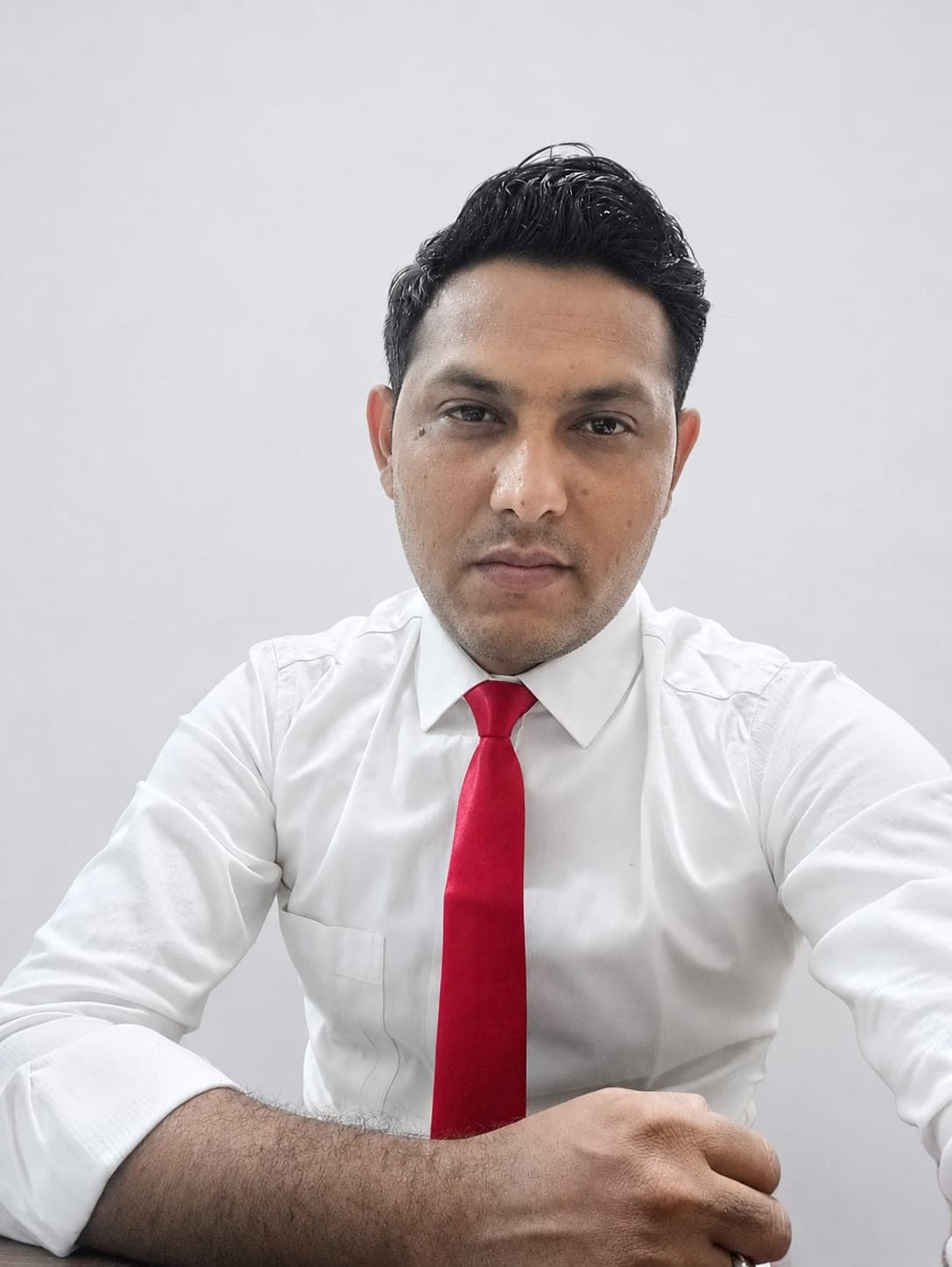
PhotoReady AI style preview for clean headshot on photoready.kaamkardo.com
PhotoReady | photoready.kaamkardo.com
Custom Creator Style

clean headshot

Created by
binjalramanuj
@binjalramanuj
Freeper generation
Secure transactions and inputs
Outputs completed in under 15 seconds
Powered by Photo Ready Engine
Prompt Template
Free Access
IMPORTANT — The uploaded selfie is the ONLY identity reference. Identity preservation has absolute priority and overrides every other instruction. Preserve the exact facial identity including face shape, facial proportions, facial symmetry, skin tone, complexion, eye shape, eye spacing, eyebrows, eyelashes, nose, lips, jawline, cheekbones, forehead, ears, hairstyle, hairline, hair texture, glasses (if present), facial hair (if present), age, expression characteristics, and every unique identifying feature. Never beautify, replace, reinterpret, or generate a different person. Never make the face slimmer, younger, older, more attractive, or more symmetrical. If any styling instruction conflicts with identity preservation, preserve the uploaded identity exactly. Create a premium LinkedIn business portrait photographed by a high-end corporate portrait photographer. Photograph the subject from the upper chest upward with the body rotated approximately 15 degrees while the face naturally turns toward the camera. Maintain relaxed shoulders, upright posture, and direct eye contact. The facial expression should be calm, approachable, confident, and professional with a soft natural smile that appears genuine rather than posed. Dress the subject in elegant modern business attire suitable for Indian professionals. Use a tailored navy, charcoal, black, cream, or neutral blazer over a clean blouse, formal shirt, or minimalist business top. Clothing should fit naturally with premium fabric texture, clean tailoring, and subtle folds. Avoid logos, busy patterns, excessive jewelry, or distracting accessories. Use a seamless medium-gray professional studio background with a subtle gradient and soft tonal transitions. The background should remain clean, timeless, and free of distractions. Illuminate the portrait using premium diffused studio lighting with a large octagonal softbox positioned approximately 45 degrees from the subject and a gentle fill light on the opposite side. Create soft natural shadows, realistic facial depth, delicate catchlights, balanced highlights, and smooth tonal transitions without harsh contrast. The lighting should resemble a premium corporate photography studio. Capture the portrait using a professional full-frame mirrorless camera with an 85mm portrait lens at approximately f/2.5. Produce exceptional facial sharpness while maintaining smooth background separation and realistic optical compression. Preserve authentic skin texture including visible pores, natural facial detail, individual hair strands, realistic eyelashes, subtle makeup when appropriate, and premium fabric textures. Avoid beauty filters, glamour retouching, excessive skin smoothing, HDR processing, oversharpening, artificial glow, porcelain skin, or unrealistic perfection. Apply premium DSLR color science with neutral color grading, accurate white balance, realistic contrast, and faithful rendering of Indian skin tones. Keep colors natural, balanced, and timeless without cinematic effects or exaggerated saturation. The final portrait should appear as though it was photographed for a Fortune 500 company profile, executive biography, university faculty page, consulting firm website, or LinkedIn profile. It must be completely photorealistic, naturally edited, and visually indistinguishable from a genuine professional studio photograph.

Prompt explanation

The prompt anchors the model around professional portrait, then narrows the output with outfit, background, lighting, pose, expression, and camera instructions. The most important variables to preserve are face identity, realistic skin texture, clear eyes, natural proportions, and the professional portrait lens with realistic depth of field look.

Editable variables

OutfitBackgroundLightingPoseExpressionCamera

Expected output

A realistic professional portrait image with soft, realistic portrait lighting, a simple background that keeps attention on the face, a confident, approachable expression, and clear facial identity.

Common mistakes

  • Using a blurry or heavily cropped source photo.
  • Mixing formal and casual style instructions in the same prompt.
  • Adding too many props or background details.

Tips

  • Keep the clean, polished clothing that matches the intended use direction consistent with the final use case.
  • Preserve the soft, realistic portrait lighting and professional portrait lens with realistic depth of field terms when editing.
  • Use one clear face reference for the most reliable identity match.

Visual evidence for this style

Generated example for clean headshot

Generated example

A finished professional portrait reference.

Background detail for clean headshot

Background detail

a simple background that keeps attention on the face

LinkedIn preview crop for clean headshot

LinkedIn preview crop

a natural pose with clear face visibility with a confident, approachable expression.

About this style

clean headshot is a professional portrait style built for profile photos, creator portfolios, and professional bios. It combines clean, polished clothing that matches the intended use, a simple background that keeps attention on the face, soft, realistic portrait lighting, a natural pose with clear face visibility, and a confident, approachable expression so the generated image feels intentional rather than random. The goal is not only to copy a prompt, but to understand the visual system behind the output.

This style is especially useful for professionals because it keeps the result focused on credibility, facial clarity, and repeatable framing. The professional portrait lens with realistic depth of field direction helps the image look closer to a real portrait session, while the background and lighting choices reduce distractions that can weaken a profile photo, resume image, creator bio, or portfolio thumbnail.

For best results, start with a sharp source image where the face is unobstructed and the head is not heavily cropped. Keep the outfit and background aligned with the final use case: more formal for LinkedIn, resumes, company pages, and founder bios; softer and more expressive for creator profiles, social media, and personal branding.

Structured style metadata

Best use cases for clean headshot

Use clean headshot when you want a polished AI photo style that is easy to copy, test, and adapt. It works best with clear front-facing portraits, visible facial details, and a simple source image. The tags portrait, creator style, AI photo help match this style to similar PhotoReady prompts. Free prompts can be copied instantly, while paid styles can be generated safely inside PhotoReady.

Who should use it

This style fits professionals who need a polished image for profile photos, creator portfolios, and professional bios. It is useful when the photo needs to look credible, current, and easy to reuse across professional profiles.

Why this works

The combination of soft, realistic portrait lighting, a simple background that keeps attention on the face, and a confident, approachable expression makes the final image readable at small profile-photo sizes while still feeling realistic at full size.

Outfit guide

Use clean, polished clothing that matches the intended use. Avoid clothing that fights the style direction, especially busy patterns, oversized logos, or colors that clash with the background.

Background guide

The best background is a simple background that keeps attention on the face. It should support the subject without making the final image look staged, crowded, or overly decorative.

Camera and expression guide

Keep professional portrait lens with realistic depth of field, a natural pose with clear face visibility, and a confident, approachable expression. These details help the output read like a real portrait rather than a generic AI image.

Common questions

Is this style free?

Yes. You can copy this style prompt directly from the page.

What image works best?

Use a clear portrait with good lighting, an unobstructed face, and minimal blur for the most realistic result.

Can I adapt the prompt?

Yes. Keep the core camera, lighting, and mood terms, then swap details such as outfit, background, or occasion.

Which industries fit this style?

It works best for professionals, and can be adapted for adjacent roles by changing outfit, background, and expression details.

What should I avoid?

Avoid low-resolution uploads, covered faces, extreme filters, crowded backgrounds, and instructions that conflict with the style metadata.

Can this be used for LinkedIn?

Yes, especially when the outfit, background, expression, and crop match the professional audience you want to reach.

Related guides

More styles like this