Photo Ready Logo
Photo Ready
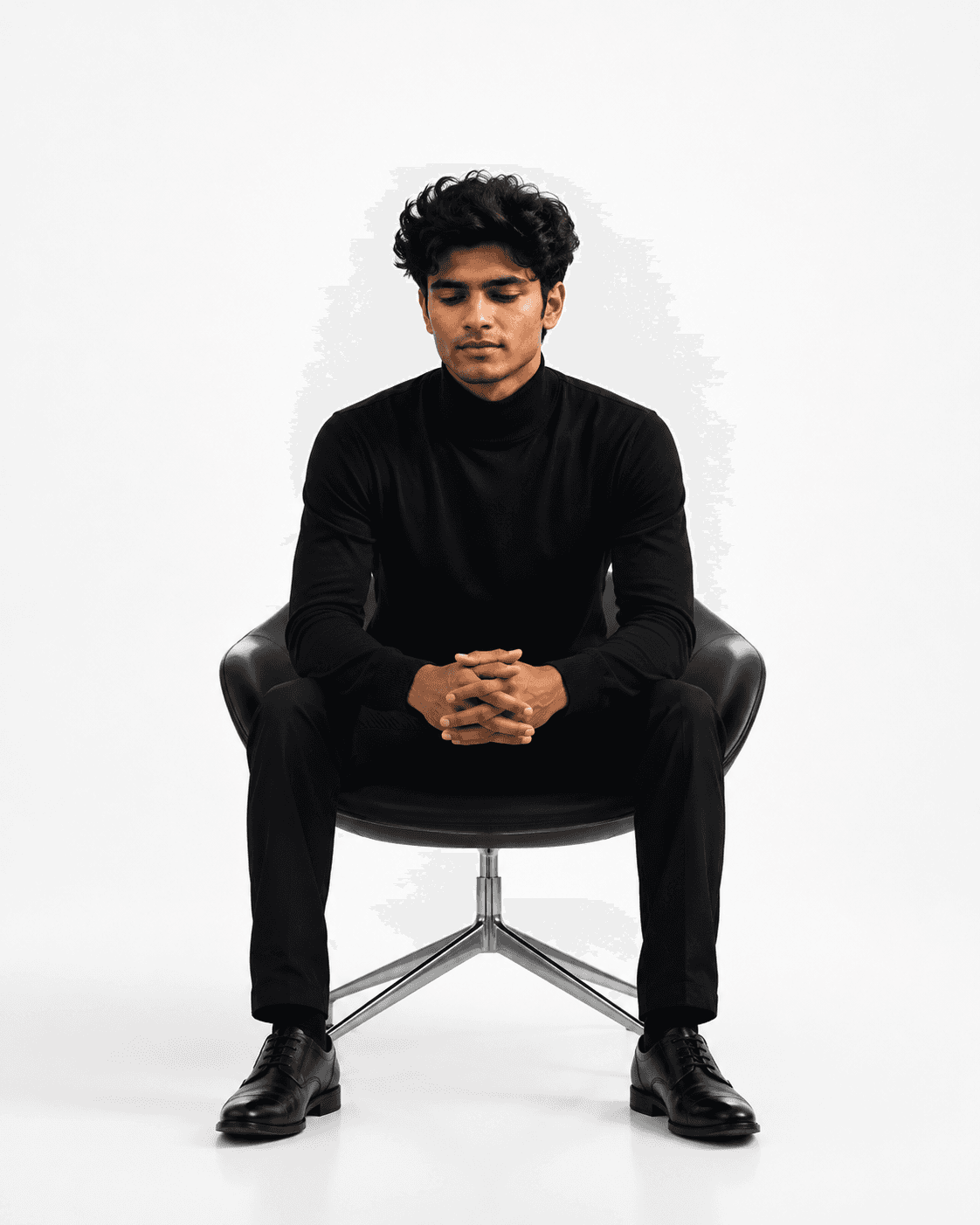
Professional AI LinkedIn headshot example for Professional Indian LinkedIn Headshot, a PhotoReady profile photo style.
PhotoReady | photoready.kaamkardo.com
Custom Creator Style

Professional Indian LinkedIn Headshot

Created by
@creator
#linkedin headshot#corporate portrait#professional headshot#indian professional#business portrait#office photography#realistic portrait#software engineer#startup founder#executive headshot#dslr portrait#corporate photography#photorealistic#personal branding#professional profile
Freeper generation
Secure transactions and inputs
Outputs completed in under 15 seconds
Powered by Photo Ready Engine
Prompt Template
Free Access
Use the uploaded photo as the **only identity reference**. The person in the generated image must be exactly the same individual, preserving their unique facial identity without alteration. Maintain the same facial structure, jawline, forehead, cheekbones, eye shape, eyelids, iris color, eyebrows, nose, lips, ears, hairstyle, hairline, facial hair, skin tone, natural facial asymmetry, age, and body proportions. The generated image must immediately be recognizable as the same person. Do not replace the face, enhance facial attractiveness, modify facial proportions, or create an idealized version of the subject. Identity preservation is the highest priority and should never be compromised. Create a professional LinkedIn headshot that looks like it was captured by an experienced corporate photographer in India, not generated by artificial intelligence. The photograph should resemble the kind of portrait commonly taken for professionals working in software companies, consulting firms, startups, financial institutions, engineering companies, or multinational corporations in cities such as Bengaluru, Pune, Hyderabad, Mumbai, Gurgaon, Chennai, or Delhi. The final image should feel authentic, believable, and completely natural, as though it came directly from a real photography studio. Dress the subject in a well-fitted charcoal or navy business suit with a clean white formal shirt. If a tie is included, it should be simple and understated rather than fashionable or luxurious. The clothing should fit naturally with realistic fabric texture, subtle folds, and slight creases that occur in real garments. Avoid oversized shoulders, exaggerated tailoring, luxury fashion styling, designer branding, glossy fabrics, or editorial fashion aesthetics. Position the subject in a relaxed professional pose with shoulders naturally aligned and the body turned slightly while the face looks directly toward the camera. The expression should convey quiet confidence with a subtle, genuine smile rather than an exaggerated corporate grin. The posture should feel comfortable and effortless, exactly as a professional photographer would guide a client during a LinkedIn profile session. Place the subject inside a modern corporate office or a simple professional studio environment. The background should remain softly out of focus, featuring neutral-colored walls, glass meeting rooms, office interiors, or clean architectural elements without becoming distracting. Avoid dramatic skylines, luxury interiors, expensive furniture, colorful decorations, artificial scenery, or cinematic environments. The background should support the portrait without drawing attention away from the subject. Illuminate the scene using soft natural daylight combined with subtle indoor lighting that resembles a real office environment. The lighting should be balanced, gentle, and flattering while remaining completely believable. Avoid dramatic rim lighting, theatrical shadows, colored lights, excessive HDR effects, or overly cinematic illumination. The goal is for the lighting to appear as though it naturally existed during a real corporate photography session. The skin should retain authentic texture, visible pores, fine facial details, and natural imperfections. Do not smooth the skin excessively or apply beauty filters. Preserve subtle beard texture, fine lines, and realistic complexion variation. Hair should display individual strands with natural volume instead of appearing overly sharp or artificially perfect. The eyes should remain naturally detailed without exaggerated sharpening, oversized irises, or unnaturally bright catchlights. Render the image as though it was photographed using a professional full-frame DSLR or mirrorless camera with an 85mm portrait lens at approximately f/2.0, producing realistic optical depth of field and natural lens compression. The colors should remain neutral and true to life, accurately reflecting Indian skin tones without excessive warmth, orange tinting, heavy contrast, cinematic grading, or unrealistic saturation. The photograph should resemble a professionally edited RAW image rather than a heavily processed digital artwork. Most importantly, avoid every visual characteristic commonly associated with AI-generated portraits. Do not create plastic-looking skin, perfectly symmetrical facial features, artificial hair, unrealistically white teeth, glossy eyes, oversized pupils, exaggerated facial sharpness, fake background blur, overly clean clothing, or flawless magazine-style aesthetics. Small imperfections should remain visible because they contribute to authenticity. The final result must be indistinguishable from a genuine photograph captured by a skilled corporate photographer for a LinkedIn profile. Someone viewing the image should naturally assume it was taken during a real professional photoshoot and should have no reason to suspect that artificial intelligence was involved in its creation.

Prompt explanation

The prompt anchors the model around linkedin headshot, then narrows the output with outfit, background, lighting, pose, expression, and camera instructions. The most important variables to preserve are face identity, realistic skin texture, clear eyes, natural proportions, and the professional portrait lens with realistic depth of field look.

Editable variables

OutfitBackgroundLightingPoseExpressionCamera

Expected output

A realistic linkedin headshot image with soft, realistic portrait lighting, a simple background that keeps attention on the face, a confident, approachable expression, and clear facial identity.

Common mistakes

  • Using a blurry or heavily cropped source photo.
  • Mixing formal and casual style instructions in the same prompt.
  • Adding too many props or background details.

Tips

  • Keep the clean, polished clothing that matches the intended use direction consistent with the final use case.
  • Preserve the soft, realistic portrait lighting and professional portrait lens with realistic depth of field terms when editing.
  • Use one clear face reference for the most reliable identity match.

Visual evidence for this style

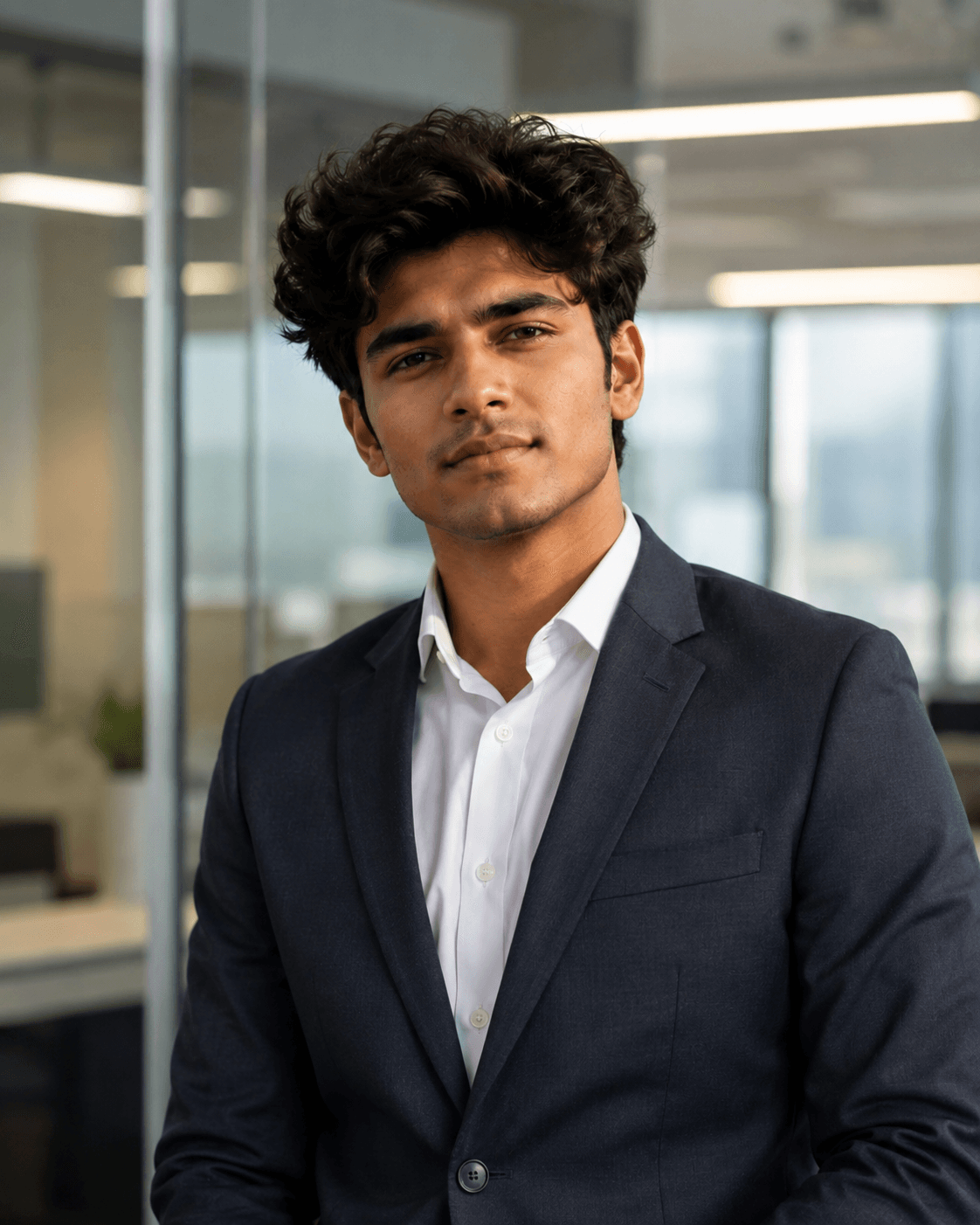
Generated example for Professional Indian LinkedIn Headshot

Generated example

Create an authentic corporate LinkedIn headshot that looks like it was captured by a professional photographer in India. Ideal for software engineers, startup founders, consultants, finance professionals, executives, researchers, and corporate employees. This prompt prioritizes exact facial identity preservation while producing a realistic business portrait with natural lighting, genuine skin texture, professional attire, and a clean office environment. The result resembles a real DSLR studio photograph rather than AI-generated artwork, making it perfect for LinkedIn profiles, resumes, company websites, and personal branding.

Background detail for Professional Indian LinkedIn Headshot

Background detail

a simple background that keeps attention on the face

LinkedIn preview crop for Professional Indian LinkedIn Headshot

LinkedIn preview crop

a natural pose with clear face visibility with a confident, approachable expression.

About this style

Professional Indian LinkedIn Headshot is a LinkedIn-ready linkedin headshot style built for professional profile photos. It combines clean, polished clothing that matches the intended use, a simple background that keeps attention on the face, soft, realistic portrait lighting, a natural pose with clear face visibility, and a confident, approachable expression so the generated image works as a recruiter-friendly LinkedIn headshot rather than a generic portrait.

This style is especially useful for professionals because it keeps the result focused on credibility, facial clarity, and repeatable framing. The professional portrait lens with realistic depth of field direction helps the image look closer to a real portrait session, while the background and lighting choices reduce distractions that can weaken a profile photo, resume image, creator bio, or portfolio thumbnail.

For best results, start with a sharp source image where the face is unobstructed and the head is not heavily cropped. Keep the outfit and background aligned with the final use case: more formal for LinkedIn, resumes, company pages, and founder bios; softer and more expressive for creator profiles, social media, and personal branding.

Structured style metadata

Category
LinkedIn Headshot
Use case
LinkedIn profile photos, resumes, company bios, and professional portfolios

Best use cases for Professional Indian LinkedIn Headshot

Create an authentic corporate LinkedIn headshot that looks like it was captured by a professional photographer in India. Ideal for software engineers, startup founders, consultants, finance professionals, executives, researchers, and corporate employees. This prompt prioritizes exact facial identity preservation while producing a realistic business portrait with natural lighting, genuine skin texture, professional attire, and a clean office environment. The result resembles a real DSLR studio photograph rather than AI-generated artwork, making it perfect for LinkedIn profiles, resumes, company websites, and personal branding.

Who should use it

This style fits professionals who need a polished image for LinkedIn profile photos, resumes, company bios, and professional portfolios. It is useful when the photo needs to look credible, current, and easy to reuse across professional profiles.

Why this works

The combination of soft, realistic portrait lighting, a simple background that keeps attention on the face, and a confident, approachable expression makes the final image readable at small profile-photo sizes while still feeling realistic at full size.

Outfit guide

Use clean, polished clothing that matches the intended use. Avoid clothing that fights the style direction, especially busy patterns, oversized logos, or colors that clash with the background.

Background guide

The best background is a simple background that keeps attention on the face. It should support the subject without making the final image look staged, crowded, or overly decorative.

Camera and expression guide

Keep professional portrait lens with realistic depth of field, a natural pose with clear face visibility, and a confident, approachable expression. These details help the output read like a real portrait rather than a generic AI image.

Common questions

Is this style free?

Yes. You can copy this style prompt directly from the page.

What image works best?

Use a clear portrait with good lighting, an unobstructed face, and minimal blur for the most realistic result.

Can I adapt the prompt?

Yes. Keep the core camera, lighting, and mood terms, then swap details such as outfit, background, or occasion.

Which industries fit this style?

It works best for professionals, and can be adapted for adjacent roles by changing outfit, background, and expression details.

What should I avoid?

Avoid low-resolution uploads, covered faces, extreme filters, crowded backgrounds, and instructions that conflict with the style metadata.

Can this be used for LinkedIn?

Yes, especially when the outfit, background, expression, and crop match the professional audience you want to reach.
Related guides

More styles like this